
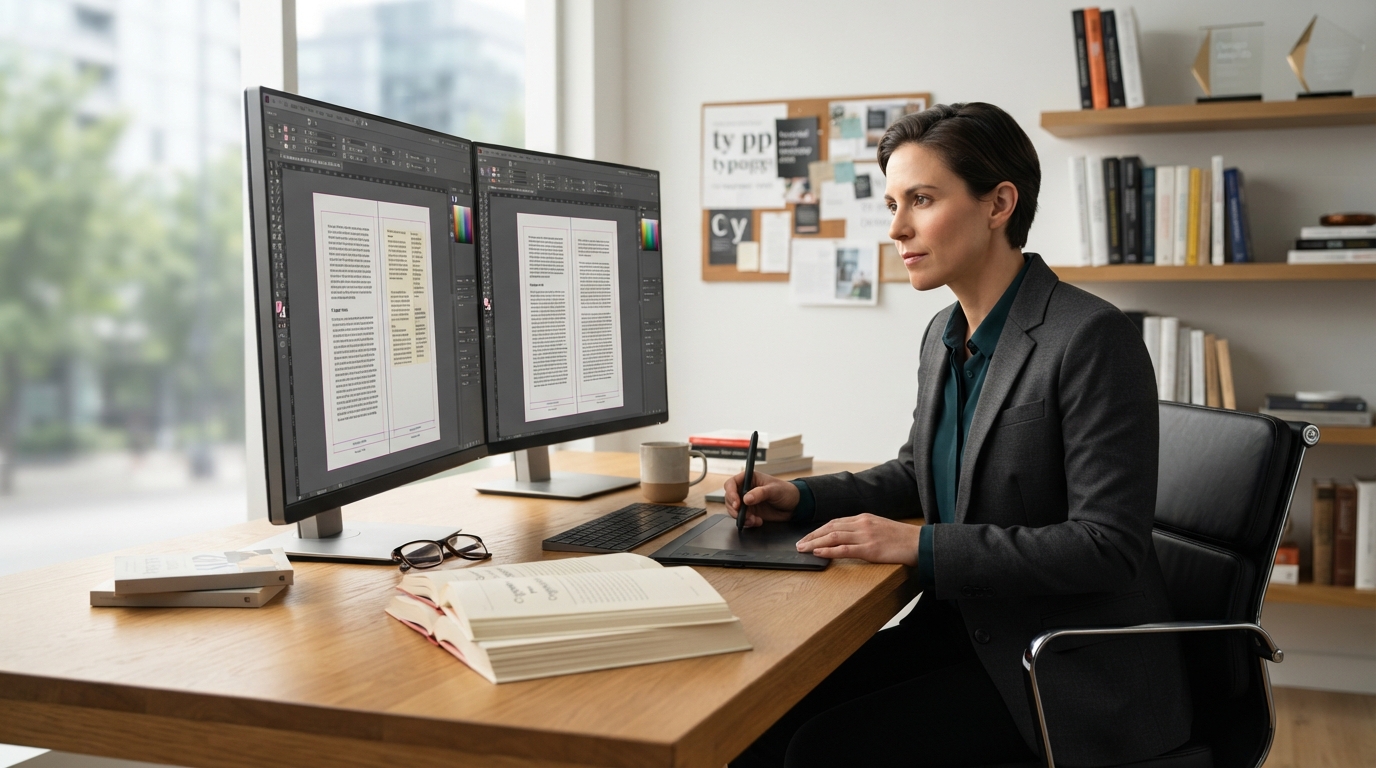
Book formatting includes the structural design and typographic arrangement of a manuscript’s interior files to ensure readability, aesthetic appeal, and technical compliance across print and digital platforms. At its core, professional book formatting encompasses setting precise trim sizes, page margins, gutter spacing, custom font pairings, line leading, running headers, dynamic page numbering, chapter title treatments, drop caps, callout boxes, and the meticulous construction of standard front and back matter. Whether preparing a reflowable EPUB for digital readers or a fixed-layout PDF for offset press runs, formatting transforms unstyled text into an immersive, industry-standard reading experience.
Every author understands the thrill of typing the final period on a manuscript. Yet, writing a compelling narrative is only half the battle. If readers open a book to find inconsistent paragraph indents, illegible typefaces, missing page numbers, or text disappearing into the binding spine, their immersion shatters instantly. Quality formatting is invisible when done right; it guides the reader’s eye effortlessly from line to line without distraction. To bridge the gap between a raw Microsoft Word manuscript and a commercially viable title, authors frequently collaborate with seasoned publishing teams like Book Formatting specialists to ensure their files adhere strictly to international printing and distribution specifications.
Below is a comprehensive breakdown of the components, technical metrics, workflow stages, and digital variations that constitute the complete interior book design landscape.
The Anatomy of Interior Book Design: Core Components
To fully answer the question of what interior layout services cover, we must dissect the anatomy of a printed book. Professional book designers divide manuscripts into three structural sections: Front Matter, Body Text, and Back Matter. Each section requires dedicated stylistic conventions, page pagination protocols, and aesthetic treatments.
| Manuscript Section | Standard Elements Included | Pagination Style | Primary Purpose |
|---|---|---|---|
| Front Matter | Half title, Title page, Copyright, Dedication, Table of Contents, Foreword, Preface | Roman Numerals (i, ii, iii) or Blind (Unnumbered) | Establishes legal ownership, publishing credits, and book navigation. |
| Body Matter | Prologue, Main chapters, Section breaks, Callouts, Epilogue | Arabic Numerals (1, 2, 3…) starting on Chapter 1 | Houses the core narrative, instructional text, or analytical content. |
| Back Matter | Acknowledgments, Appendix, Endnotes, Glossary, Author Bio, Coming Soon | Continuous Arabic Numerals | Provides citations, references, author branding, and additional reader resources. |
1. Front Matter Architecture
The front matter sets the formal tone for the publication. It introduces the publishing imprint, honors mentors, and handles necessary legal clearances. A standard front matter sequence prepared during formatting includes:
- Half-Title Page: A clean page displaying solely the main title (excluding subtitles or author names).
- Title Page: The formal introduction showcasing full title, subtitle, author name, and publisher logo/imprint.
- Copyright Page: Contains the International Standard Book Number (ISBN), Library of Congress Control Number (LCCN), edition dates, copyright notices, disclaimer clauses, and printer details.
- Dedication & Epigraph: Personal sentiments or inspirational thematic quotes set with bespoke alignment.
- Table of Contents (TOC): Dynamic linking in digital formats; dot-leader or modern space-aligned page listings in print.
- Foreword and Preface: Introductory essays formatted with matching stylistic motifs.
2. Body Matter Styling and Engine
The body matter is the heart of the layout. Inside this space, the formatter constructs the structural rhythm that carries readers through dozens or hundreds of pages without visual fatigue.
- Chapter Openers: Custom typographic hierarchy including chapter numbers, thematic subtitles, decorative flourishes, and initial capital treatments (drop caps or raised caps).
- Running Headers and Footers: Alternating header text across verso (left-hand) and recto (right-hand) pages, displaying book titles, chapter names, or author names alongside dynamic pagination.
- Paragraph Styling: Strict application of first-line indents (avoiding double-returns between paragraphs in fiction) or block paragraphs with precise spacing (common in non-fiction manuals).
- Scene Break Ornaments: Standardized glyphs, asterisks (asterisms), or custom graphic icons separating distinct narrative scenes.
- Blockquotes and Extracts: Indented margins, altered point sizes, and contextual font shifts to distinguish cited letters, historical documents, or dialogue excerpts.
3. Back Matter Formatting
Often overlooked by amateur formatters, the back matter delivers essential utility, scholarly attribution, and marketing avenues for future releases. Professional formatters organize:
- Appendices and Addenda: Supplementary data, case studies, or reference tables.
- Endnotes and Footnotes: Dynamic bidirectional linking in digital outputs and strictly anchored baselines in print layouts.
- Glossaries and Indices: Multi-column layouts styled with compact typography for quick reference lookups.
- Author Biography: Stylized author portrait integration paired with social links, website URLs, and newsletter opt-in prompts.
Before entering the formatting stage, authors must ensure their manuscript has undergone comprehensive developmental and mechanical refinement. Partnering with professional book editors for hire ensures that syntax, punctuation, and structural hierarchies are entirely clean, preventing costly structural re-formatting later in the publishing cycle.
Print Interior Formatting vs. Digital Ebook Formatting
A common misconception among self-publishing authors is that a single interior file can serve both physical printing presses and digital ebook readers. In reality, print formatting and digital formatting are two distinct disciplines governed by entirely different design rules, file formats, and rendering engines.
| Formatting Dimension | Print Book Formatting (PDF) | Ebook Formatting (EPUB / MOBI / KPF) |
|---|---|---|
| File Format | Print-Ready PDF (PDF/X-1a:2001 or PDF/X-3 compliant) | Reflowable EPUB 3.0, MOBI, or Amazon KPF |
| Page Structure | Fixed pages with exact physical dimensions and trim sizes. | Fluid/Reflowable layout; text resizes to screen dimensions. |
| Typography | Embedded desktop fonts; strict point sizes and tracking. | System-fallback fonts; user-customizable text sizing. |
| Margins & Gutters | Dynamic inner gutter margins based on spine page count. | No gutters; dynamic digital padding based on device settings. |
| Navigation | Visual page numbers, running headers, printed TOC. | HTML NCX navigational TOC, hyperlinked cross-references. |
| Images & Graphics | CMYK color space, minimum 300 DPI high-resolution. | RGB color space, 72–150 DPI compressed for rapid loading. |
Print Layout Engineering: Physical Mechanics
Print formatting is rigid, absolute, and tactile. The formatter creates high-resolution, static vectors where every letter, accent, and divider exists at an unalterable coordinate on the physical page. Key technical tasks in print formatting include:
- Trim Size Calculation: Establishing industry dimensions (e.g., 5″ x 8″, 5.5″ x 8.5″, 6″ x 9″) suitable for the genre.
- Gutter Spacing Calibration: Adjusting the inner margin to account for page bulk and binding glue, ensuring text does not sink inward toward the spine crease.
- Bleed and Margin Tolerances: Setting 0.125-inch bleed margins for edge-to-edge images and safe-zone margins for all critical live text elements.
- Orphan and Widow Elimination: Manually adjusting tracking and kerning across individual paragraphs to prevent isolated single lines from lingering at the top or bottom of pages.
Ebook Formatting: Responsive Digital Architecture
Unlike print, digital ebook formatting operates like responsive web development. Modern e-readers (Kindle Paperwhite, iPad, Kobo, smartphone screens) allow users to modify font styles, enlarge typography, adjust line spacing, and switch to dark mode. Digital formatting involves:
- Clean CSS/HTML Cleanliness: Purging junk code generated by word processors to ensure seamless multi-device rendering.
- Reflowable Text Integration: Ensuring text flows naturally around embedded graphic dividers without breaking page flows.
- Hyperlinked Ecosystem: Building dynamic tables of contents, external website links, and bidirectional footnotes where tapping a superscript number jumps straight to the citation and back.
- Metadata Injection: Embedding title, author name, language codes, and copyright tags directly into the EPUB structural shell.
For authors venturing into digital-first channels or serialized literature platforms, engaging specialized ebook publishing services ensures your digital assets clear strict validation checks on Apple Books, Amazon Kindle Direct Publishing (KDP), Barnes & Noble Press, and Google Play Books.
The Typographic Science Behind High-Quality Formatting
Typography is the silent narrator of your book. A massive portion of what book formatting includes involves selecting, pairing, scaling, and engineering typographic hierarchies that echo the emotional atmosphere of the narrative while remaining effortless to read over extended periods.
| Book Genre | Recommended Body Typefaces | Header & Display Typefaces | Stylistic Rationale |
|---|---|---|---|
| Literary & Historical Fiction | Garamond, Caslon, Minion Pro | Cinzel, Playfair Display, Baskerville | Classic serifs invoke timelessness, historical authenticity, and warmth. |
| Sci-Fi & Modern Thrillers | Sabon, Dante, Charter | Montserrat, Futura, Bebas Neue | Clean, sharp typography builds tension and modern pacing. |
| Business, Memoir & Non-Fiction | Palatino, Georgia, Merriweather | Helvetica Neue, Lato, Proxima Nova | High x-height serifs paired with clean sans-serif headers deliver authority. |
| Fantasy & Romance | Bemis, Adobe Jenson, Centaur | Cormorant Garamond, Great Vibes (Accents) | Decorative swashes and elegant curves heighten romance and mythic scope. |
Typographic Calibration Checklist
When formatting a manuscript, interior designers fine-tune several typographic variables:
- Typeface Scale (Point Size): Standard body text typically ranges between 10.5pt and 12pt depending on the font’s natural x-height.
- Leading (Line Spacing): Set usually between 13pt and 15pt to create a comfortable vertical reading cadence without lines blending together.
- Kerning and Tracking: Adjusting character spacing to prevent unnatural gaps between specific letter pairings (such as “To” or “AV”).
- Hyphenation Ladders: Strict hyphenation parameters to stop consecutive hyphenated lines (limiting maximum consecutive hyphens to no more than two).
- Smart Punctuation: Converting straight quotes to typographic curly quotes (“ ”), hyphens into proper en-dashes (–) and em-dashes (—), and spacing ellipses consistently.
Real-Time Google Search Queries on Book Formatting
To help authors navigate the exact questions circulating across publishing forums and search engines, here are answers to the highest-frequency search queries surrounding interior book design.
1. How much does professional book formatting typically cost?
Professional book formatting costs range between $150 and $600 for standard, text-heavy fiction and non-fiction titles. Complex projects involving non-fiction, textbooks, photographic memoirs, cookbooks, or poetry collections that feature extensive charts, tables, callout boxes, and full-bleed graphics often range from $600 to $1,500+. Cost determinants include manuscript word count, image complexity, custom illustration integration, and whether you require both print-ready PDF and reflowable EPUB outputs.
2. Can I format a book myself using Microsoft Word or Google Docs?
While Microsoft Word or Google Docs can produce basic documents, they lack the sophisticated typesetting engines required for commercial publishing. Word processors struggle with precise baseline grids, automatic orphan/widow controls, dynamic alternating headers, CMYK color profiles, and automated gutter margin management. For professional outcomes, industry-standard software such as Adobe InDesign, Vellum, or Affinity Publisher is recommended.
3. What is the standard trim size for novels and non-fiction books?
The most common industry trim sizes include:
- 5″ x 8″ or 5.25″ x 8″: Ideal for trade fiction, novellas, and paperbacks.
- 5.5″ x 8.5″: Extremely versatile; standard for memoirs, historical fiction, and young adult novels.
- 6″ x 9″: The standard choice for business books, academic texts, hardcovers, and dense non-fiction.
- 7″ x 10″ and 8.5″ x 11″: Standard for workbooks, manuals, textbooks, art books, and children’s picture books.
4. What is the difference between reflowable and fixed-layout ebooks?
A reflowable ebook allows the text to adjust dynamically to the screen size and user preferences, making it the required standard for text-centric works like fiction and narrative non-fiction. A fixed-layout ebook locks text and artwork in place exactly like a digital PDF, preserving page geometry. Fixed layout is reserved for children’s illustrated books, complex graphic novels, and highly visual coffee table books.
Step-by-Step Book Formatting Workflow: From Raw Text to Print
Understanding what goes into formatting illuminates why professional layout design takes time and technical precision. Here is the operational workflow standard among premier book design studios:
- Manuscript Ingestion and Cleanup: Stripping hidden formatting artifacts, double spaces, irregular tab indents, soft returns, and unwanted paragraph styles from word processing files.
- Style Sheet Construction: Defining paragraph style sheets (Body Text, First Paragraph No-Indent, Heading 1, Heading 2, Blockquote, Caption) inside typesetting software.
- Page Geometry Definition: Establishing physical trim sizes, custom margins, dynamic binding gutters, and live-area bounding boxes based on the anticipated printer paper stock.
- Front & Back Matter Integration: Placing copyright declarations, ISBN codes, dynamic tables of contents, dedicating pages, and promotional back matter sections.
- Typographic Pass & Layout Design: Applying custom chapter title headers, drop caps, decorative section dividers, and pulling pull-quotes.
- Typesetting Polish: Performing manual passes across every page to eliminate widows, orphans, runts, hyphenation stacks, and rivers of white space.
- Export and Validation: Rendering print-ready PDF/X files alongside EPUB 3.0 digital builds, running validation scripts through tools like EPUBCheck to guarantee zero distributor upload errors.
Achieving polished results across your interior is vital, but the exterior wrapper of your book remains your most powerful visual marketing tool. Integrating cohesive design across both your internal typography and your external cover art through professional book cover design services ensures your title looks shelf-ready, competitive, and immediately recognizable in modern bookstores.
Common Book Formatting Mistakes That Signal “Amateur”
Even a brilliant story will struggle to gain traction if it shows obvious signs of self-publishing blunders. Avoiding these critical layout errors separates amateur projects from commercial successes:
- Missing Inner Gutter Margins: Failing to widen inner margins means readers must forcefully bend open the spine to read the start or end of lines.
- Blank Pages with Running Headers: Displaying running headers and page numbers on intentionally blank pages, chapter start pages, or dedicated full-page artwork.
- Tabs Used for Indentation: Hitting the “Tab” key manually on every paragraph creates chaotic, irregular indents across differing digital e-readers.
- Ignoring Widows and Orphans: Leaving a single isolated word on the final line of a paragraph (a runt) or letting a paragraph’s final line sit alone at the top of a new page (a widow).
- Low-Resolution Imagery: Inserting 72 DPI web images into print manuscripts, resulting in blurry, pixelated graphics when pressed to paper.
- Straight Instead of Curly Quotes: Retaining typewriter-style straight quotes (“…”) rather than polished typographic smart quotes (“…”).
Frequently Asked Questions About Book Formatting
Does book formatting include proofreading or editing?
No. Book formatting focuses exclusively on the visual layout, structural typography, dynamic navigation, and technical file compliance of your book. It does not include proofreading, copyediting, or structural rewriting. Manuscripts must be 100% edited, polished, and locked before entering the formatting phase, as editing text post-formatting disrupts page pagination, hyphenation, and line distributions.
What files should I provide to a book formatter?
Formatters usually require a fully edited and finalized Microsoft Word document (.docx), high-resolution graphic/image files (minimum 300 DPI in TIFF or PNG format for print), front matter details (copyright language, ISBNs), and any specific font licensing or stylistic preferences you wish to incorporate.
What deliverables do I receive after formatting is complete?
Upon completion of professional formatting services, you typically receive:
- Print-Ready PDF: Fully compliant PDF/X file with embedded fonts and custom trim/bleed settings ready for KDP Print, IngramSpark, or offset printing.
- Reflowable EPUB: Modern digital format ready for distribution to Amazon Kindle, Apple Books, Kobo, and Google Play.
- MOBI/KPF (Optional): Kindle-specific formats if requested for specialized legacy testing.
Elevating Your Manuscript to Commercial Standards
So, what does book formatting include? It is the comprehensive art and science of turning raw written text into a visually engaging, physically comfortable, and technically validated book. From precise margins and bespoke typographic styling to dynamic digital tables of contents and clean code execution, professional formatting provides the structural foundation your manuscript deserves.
Do not allow poor margins, distracting font choices, or faulty ebook coding to undercut your writing. By investing in dedicated interior layout design, you ensure that your book meets demanding global publishing benchmarks, delights your readers, and stands shoulder-to-shoulder with bestselling titles worldwide.